
How to Connect a Mic to iPhone for TikTok Live
Heads up: this post is from OTORELAY. We sell the R2.
Quick answer: To connect a mic to your iPhone for TikTok Live, you need three things. A mic, a small audio interface that works with phones, and the right cable. Plug the mic into the interface. Plug the interface into your iPhone with an OTG cable or Apple’s camera adapter, not your charging cable. Then plug wired headphones into the interface so you can hear yourself. That’s it.
Now let’s fix the stuff that trips everybody up.
What you actually need
Quick jargon check first.
- Audio interface: a little box that takes your mic and turns it into sound your phone understands.
- OTG: short for “On-The-Go.” It’s a port or cable made for plugging gear into phones.
- XLR: the round, three-pin cable most real mics use.
- Monitoring: hearing yourself in headphones while you talk or sing.
| Problem | What causes it | The fix |
|---|---|---|
| Phone doesn’t see the mic | Regular charging cable | OTG cable or camera adapter |
| Can’t hear yourself | Phone won’t play your mic back | Wired headphones in the interface |
| Backing track isn’t on the live | Mic and music aren’t mixed | Mix them before the phone |
| Echo | Speaker sound going back into the mic | Wired headphones, one mic |
| Guitar or music gets cut out | Reported TikTok filtering on new iPhones | No confirmed fix yet |
| Live gets muted | Copyrighted music | TikTok LIVE’s licensed music |
Why won’t my iPhone recognize my mic?
Nine times out of ten, it’s the cable.
A regular Lightning charging cable often doesn’t carry audio. It charges. That’s it. So your phone acts like nothing’s plugged in.
Here’s what to use instead:
- Older iPhones (Lightning): Apple’s Lightning to USB 3 Camera Adapter, or an OTG cable made for Lightning.
- Newer iPhones (USB-C): a USB-C cable that carries data, not just a cheap charge-only one.
And plug into your interface’s OTG port if it has one. That’s the port built for phones.
Can I plug a USB mic like a Blue Yeti into my iPhone?
Lots of people already own a USB mic and get stuck right here. Some USB mics work with the right adapter. Some want more power than your phone wants to give.
If you’re buying new, an XLR mic plus a phone-ready interface is the easier path. Condenser mics also need 48V phantom power. That’s a little power sent down the mic cable. Your phone can’t do that, but the interface can.
Why can’t I hear myself on TikTok Live?
This is the big one. Folks on Reddit say it all the time: “I cannot hear my voice monitoring on live.”
Your phone isn’t going to play your voice back to you while you’re live. So plug wired headphones into the interface’s headphone jack. You hear your mic straight from the interface. No lag.
Skip Bluetooth earbuds here. They add delay, and singing a beat behind yourself is rough.
Why isn’t my backing track going into my TikTok Live?
Karaoke streamers hit this constantly. You hear the music. Your viewers don’t.
Here’s why. Your mic is one sound. Your music is another sound. The phone is busy streaming, so something has to mix them into one signal before they reach it.
A couple of ways people do it:
- An interface or mixer that takes both your mic and a music source, and sends one mix to the phone.
- A computer in the middle. Play the track and run your mic through music software on a computer, then send the combined sound to the iPhone. We walked through this phone + computer setup in our last post.
Test it with a friend watching before you go live for real.
How do I fix echo on TikTok Live?
Echo means your mic is hearing the speaker. Viewers’ voices or your music come out, go back into the mic, and loop around.
- Wear wired headphones. No speaker, no loop.
- Use one mic. Two mics on at once can double you up.
- Using TikTok LIVE Studio on a computer? Turn on echo cancellation.
Why is TikTok Live filtering out my music on iPhone 17?
This one’s newer. Some iPhone 17 and 17 Pro users report that TikTok Live cuts out guitar and backing music like it’s background noise. They say it happens even with “Reduce Background Noises” turned off and an external mic plugged in.
One guitarist put it like this: “I can’t figure out how to sing and play guitar too without this noise reduction.”
We’ll be straight with you. We haven’t found a confirmed fix, and we’re not claiming our gear solves it. If this is happening to you, do a test live first.
Side note: your iPhone also has its own Mic Mode setting with Voice Isolation and Wide Spectrum. Voice Isolation makes music sound more processed, so it’s worth checking.
Why did my TikTok Live get muted?
Copyright. Playing popular songs on your live can get it muted or shown to fewer people.
The fix is boring but it works. Use music from TikTok LIVE’s licensed library.
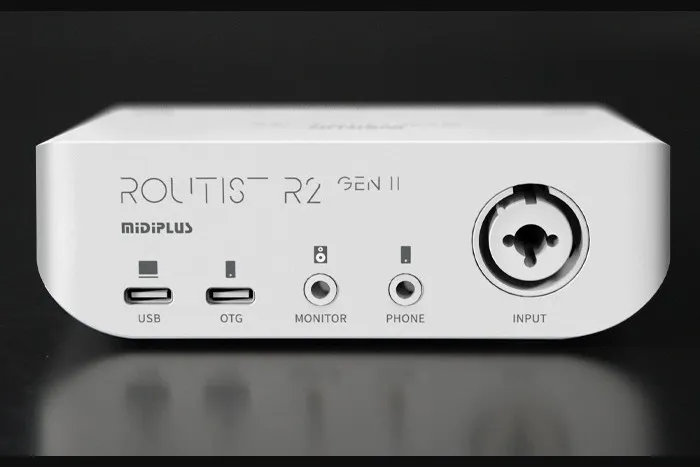
The interface we sell: MIDIPLUS R2 GEN II
If you need the interface part, here’s what the R2 brings for phone streaming:
- One mic input for a normal XLR cable
- 48V phantom power for condenser mics
- An OTG port for your phone, plus USB-C for a computer
It’s $119 at OTORELAY: MIDIPLUS R2 GEN II. Free US shipping.
Quick setup checklist
- Mic on a stand, pointed at your mouth.
- XLR cable into the interface. Turn on 48V if it’s a condenser.
- Interface into your iPhone with an OTG cable or camera adapter.
- Wired headphones into the interface.
- Set your level while talking or singing your loudest.
- Figure out how your backing track gets mixed in.
- Do a test live before the real one.
Before you go
Follow @otorelay on Instagram, TikTok and X for more live-stream setup tips.
Frequently asked questions
Can I just use my Lightning charging cable to connect a mic or interface to my iPhone?
Usually no. A regular charging cable often doesn't carry audio. Use a proper OTG cable or Apple's camera adapter (Lightning to USB 3 Camera Adapter on older iPhones), or a USB-C cable that carries data on newer ones.
Why can't I hear myself on TikTok Live?
The phone doesn't play your mic back to you while you're live. Plug wired headphones into your audio interface's headphone jack. That lets you hear your mic straight from the interface, with no lag.
Why isn't my backing track or karaoke music going into my TikTok Live?
Your mic and your music are two separate sources. Something has to mix them before they hit the phone, like an interface or mixer that takes both, or a computer sending one combined signal to the phone.
How do I fix echo on TikTok Live?
Wear wired headphones instead of using the speaker, only use one mic, and turn on echo cancellation if you're using TikTok LIVE Studio.
Why does TikTok Live filter out my guitar or music on my new iPhone?
Some iPhone 17 and 17 Pro users report that TikTok Live cuts out guitar and backing music like it's noise, even with Reduce Background Noises off and an external mic plugged in. There isn't a confirmed fix yet.
Why did my TikTok Live get muted?
Playing popular copyrighted songs can get your live muted or pushed to fewer people. Use music from TikTok LIVE's licensed library.
Gear from OTORELAY
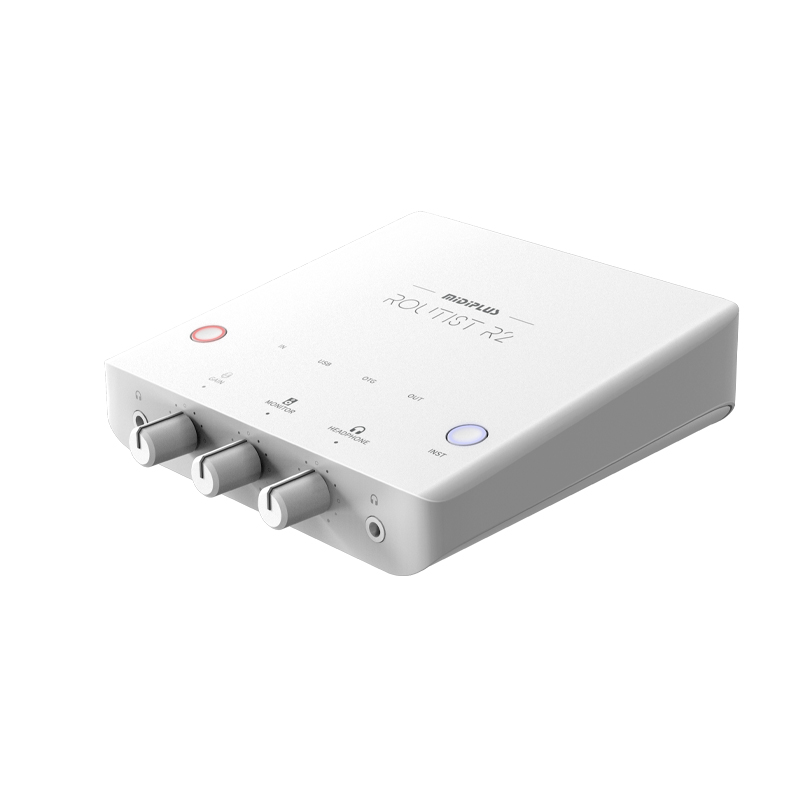
MIDIPLUS Routist R2 GEN II USB-C Audio Interface – New, Phone & Computer Ready
$119.00
New
View on OTORELAYCheck listings for current price and availability.