
How to Stream on iPhone While Charging (Plus Real-Time Auto-Tune)
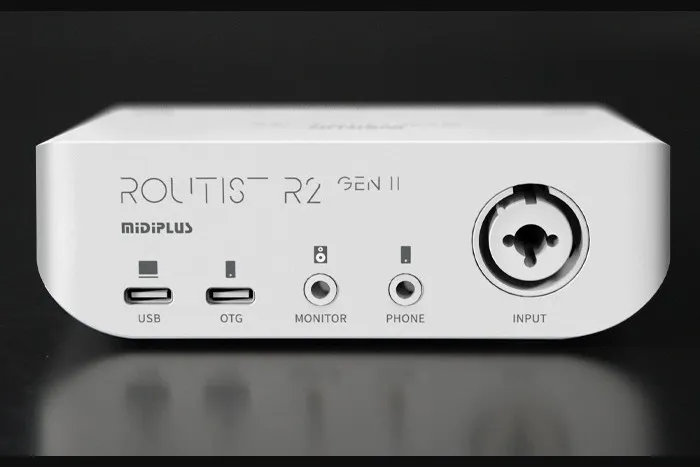
Heads up: this post is from OTORELAY. We sell the R2.
Quick answer: To stream on your iPhone while it charges, you need a way to plug in your audio interface and a charger at the same time. On Lightning iPhones, that’s Apple’s Lightning to USB 3 Camera Adapter. On USB-C iPhones (15 and up), it’s a USB-C hub with PD. Want effects and live Auto-Tune too? Run your voice through REAPER on a computer first, then send it to the phone.
Let’s break it down.
Why does my iPhone die during TikTok Live?
Streaming eats battery. Camera, screen, upload, all at once. Go live for an hour or two and you’re watching that percentage drop.
The catch? Your iPhone has one port. Plug in a mic setup and there’s nowhere left for the charger. So you need something that splits it.
Can I just plug a USB mic into my phone?
You can. And it’s the simplest option. Something like the Shure MV88+ ($199) plugs right in and works.
But here’s what you give up:
- No backing tracks. Most can’t mix your music in with your voice.
- Weak monitoring. Monitoring means hearing yourself in headphones. Most USB mics don’t handle it well.
- No effects. No reverb, no pitch correction.
- Mostly no charging. The mic takes the port, so the phone just drains.
Great for talking or a quick vlog. Not great for a two-hour singing stream.
How to charge your iPhone while using an audio interface
Lightning iPhones (iPhone 14 and older)
Get Apple’s Lightning to USB 3 Camera Adapter ($39). It’s got two ports:
- USB port: plug your audio interface in here.
- Lightning port: plug your charger in here.
Focusrite (the Scarlett people) documents this exact setup. Heads up: Apple’s compatibility list for this adapter stops at iPhone 14.
USB-C iPhones (iPhone 15 and newer)
Use a USB-C hub with PD. PD stands for Power Delivery, which just means it can pass charging power through. Plug your charger into the PD port and your interface into another port. Focusrite documents this one too.
Dedicated OTG charging cables
There are also cables made just for this, called OTG charging cables. OTG means “On-The-Go,” a connection made for plugging gear into phones. They give you a spot for your interface and a spot for power in one cable. Check the reviews and the charging specs before you buy one.
Which one should you pick?
| Option | Works with | Pros | Cons |
|---|---|---|---|
| Apple Lightning to USB 3 Camera Adapter ($39) | Lightning iPhones (Apple lists up to iPhone 14) | Made by Apple, documented by Focusrite | Lightning only, one more dongle |
| USB-C hub with PD | USB-C iPhones (15 and newer) | Extra ports, documented by Focusrite | Quality varies a lot between brands |
| Dedicated OTG charging cable | Depends on the cable | All in one cable | Small category, few reviews, specs vary |
Already have a Lightning iPhone? The Apple adapter is the safe pick. On USB-C, a decent PD hub does the job.
How to add effects and Auto-Tune to your TikTok Live
Here’s where it gets fun. Your phone can’t run studio plugins. A computer can.
The setup: Mic → interface → computer (REAPER + plugins) → back to the iPhone → iPhone streams.
The computer handles your voice. The phone still runs the camera and the app. We walked through this phone + computer setup in our last budget post.
What’s REAPER?
REAPER is a DAW, which is just music software for recording and adding effects. Think of it as your effects box. It’s $60 for a personal license, and you can try it free for 60 days.
Real-time Auto-Tune options
Auto-Tune is pitch correction. It nudges your notes toward the right pitch, live.
| Plugin | Price | Notes |
|---|---|---|
| AutoTune 2026 (Antares) | $300 one-time | The big name |
| AutoTune Unlimited (Antares) | $24.99/month | 14-day free trial |
| Graillon 3 | Free version (full is $29) | Real-time pitch correction |
| MAutoPitch | Free | Simple and lightweight |
Will Auto-Tune make me lag?
A little, but not much. Antares says its live, low-latency mode adds under 1 ms of monitoring latency. Its core algorithm adds 2.5 ms. Your interface’s buffer adds more on top, usually a few milliseconds up to a dozen-ish.
Translation? Set your buffer as low as your computer handles without crackling. Then test with headphones before you go live.
One more thing. We haven’t tested whether this gets around TikTok’s music filtering on newer iPhones, so we’re not claiming it does.
A note on interfaces
Any interface that works with phones can do this. If you’re looking, the R2 we sell connects to a computer and an iPhone at the same time. It’s $119 at OTORELAY: MIDIPLUS R2 GEN II. Free US shipping.
Quick setup checklist
- Pick your charging route: Camera Adapter, PD hub or an OTG charging cable.
- Mic into the interface. Turn on 48V if it’s a condenser.
- Interface to the computer, open REAPER, load your pitch correction plugin.
- Send the processed voice to your iPhone.
- Plug in the charger.
- Wired headphones on. Set your buffer low.
- Do a test live first.
Before you go
Follow @otorelay on Instagram, TikTok and X for more live-stream setup tips.
Frequently asked questions
Can I charge my iPhone while an audio interface is plugged in?
Yes. On Lightning iPhones, Apple's Lightning to USB 3 Camera Adapter ($39) has a USB port for the interface and a Lightning port for power. Focusrite documents this setup. On USB-C iPhones (15 and later), use a USB-C hub with PD (Power Delivery).
Why not just use a USB mic that plugs into my phone?
USB mics like the Shure MV88+ ($199) are simple. But most can't mix in a backing track, don't give you good monitoring, can't add effects, and mostly can't charge your phone while you stream.
Can I use Auto-Tune on a TikTok Live from my iPhone?
Yes, with a computer in the middle. Run REAPER with a pitch correction plugin on the computer, then send the processed voice to your iPhone, which does the streaming.
How much does Auto-Tune cost?
AutoTune 2026 is $300 to buy, or AutoTune Unlimited is $24.99 a month with a 14-day free trial. Free options include Graillon 3's free version and MAutoPitch.
Does real-time Auto-Tune add delay?
A little. Antares says its live, low-latency mode adds under 1 ms of monitoring latency, with a core algorithm latency of 2.5 ms. Your interface buffer adds more, usually a few to a dozen-ish milliseconds.
Gear from OTORELAY
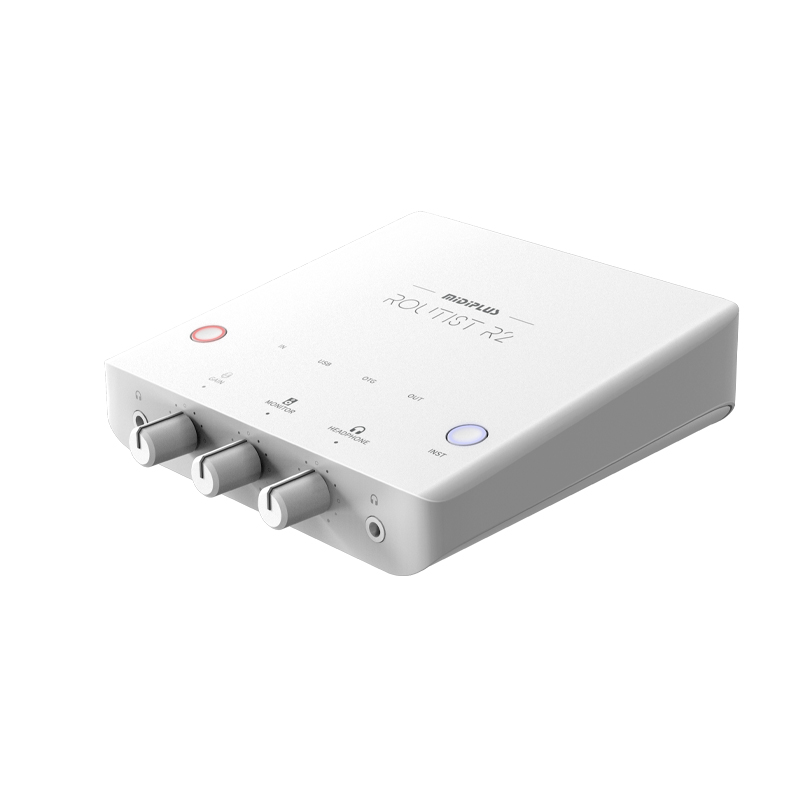
MIDIPLUS Routist R2 GEN II USB-C Audio Interface – New, Phone & Computer Ready
$119.00
New
View on OTORELAYCheck listings for current price and availability.